01 ~ Before you start
What you need
KooKo
A free account is enough to start. My whole run used about 150 credits.
Your brand
3 to 5 screenshots of your website. No website yet? Screenshot a Pinterest board of the look you want.
Your six keys
For each key: a word, one line, a button and a link. That is all you type.
Time
About half an hour, most of it waiting.
I used KooKo for every step below. Start free with my link.
02 ~ Create your own skill
Your brand as a skill
A skill is a set of rules KooKo saves and uses on every new task, so you explain your brand once. Attach your screenshots and ask:
I attached screenshots of my website. Pull out my brand into rules you can reuse every time I build something: colors as hex codes, fonts, shapes and shadows, the overall style, how I write, and the things I never do. Save it as a skill called "my-brand" so I never have to explain my brand again. Keep these exact: [your never-do rules].
No website yet? Use a mood instead:
I attached screenshots of a Pinterest board with the look I want for my website. Describe that look as rules you can reuse: colors as hex codes, the kind of fonts, shapes and shadows, textures, and the overall mood. Save it as a skill called "my-look" so every page I build matches it.
Read what it saved before you build. Mine had one brown a shade off. One line fixed it, and the fix carries into every build after.
Working with AI is compound interest. Set your rules once, and every build gets easier.
03 ~ The keypad skill
Add my keypad skill
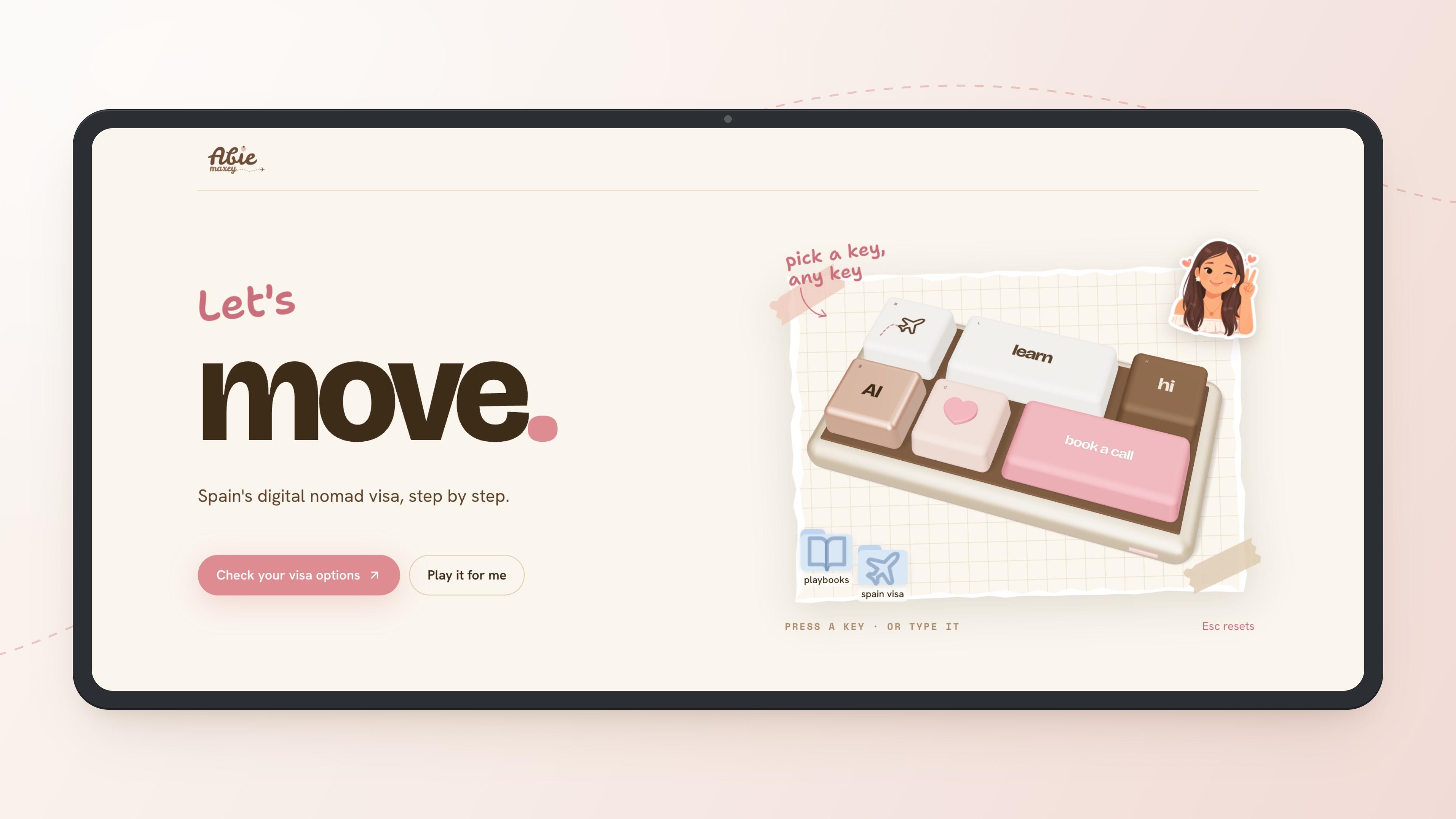
Let me make this easy for you. You don't have to describe the keypad: I saved mine as a skill. Download it, then in KooKo open Skills, press + Add, choose Upload skill and pick the file. It lands in your My Skills, ready to use.
The keypad skill. It works with your brand skill, not mine.
Get the keypad skillThen start a new project and send one message with your six keys. Paste it in as one paragraph:
Use my my-brand skill and the keypad-hero skill. My six keys: KEY 1: [word], "[line under it]", "[button text]", [link]. KEY 2: ... KEY 3: ... KEY 4: ... KEY 5: ... KEY 6: ... Start on "Let's [word]." with "[your one-liner]".
Mine were hi, learn, move, build, connect and talk. The skill asks for anything you leave out, and you can make it yours: swap “Let's” for any word, use 4 to 8 keys, put icons on them, or move the keypad to the other side.
04 ~ Follow-ups
Make it yours
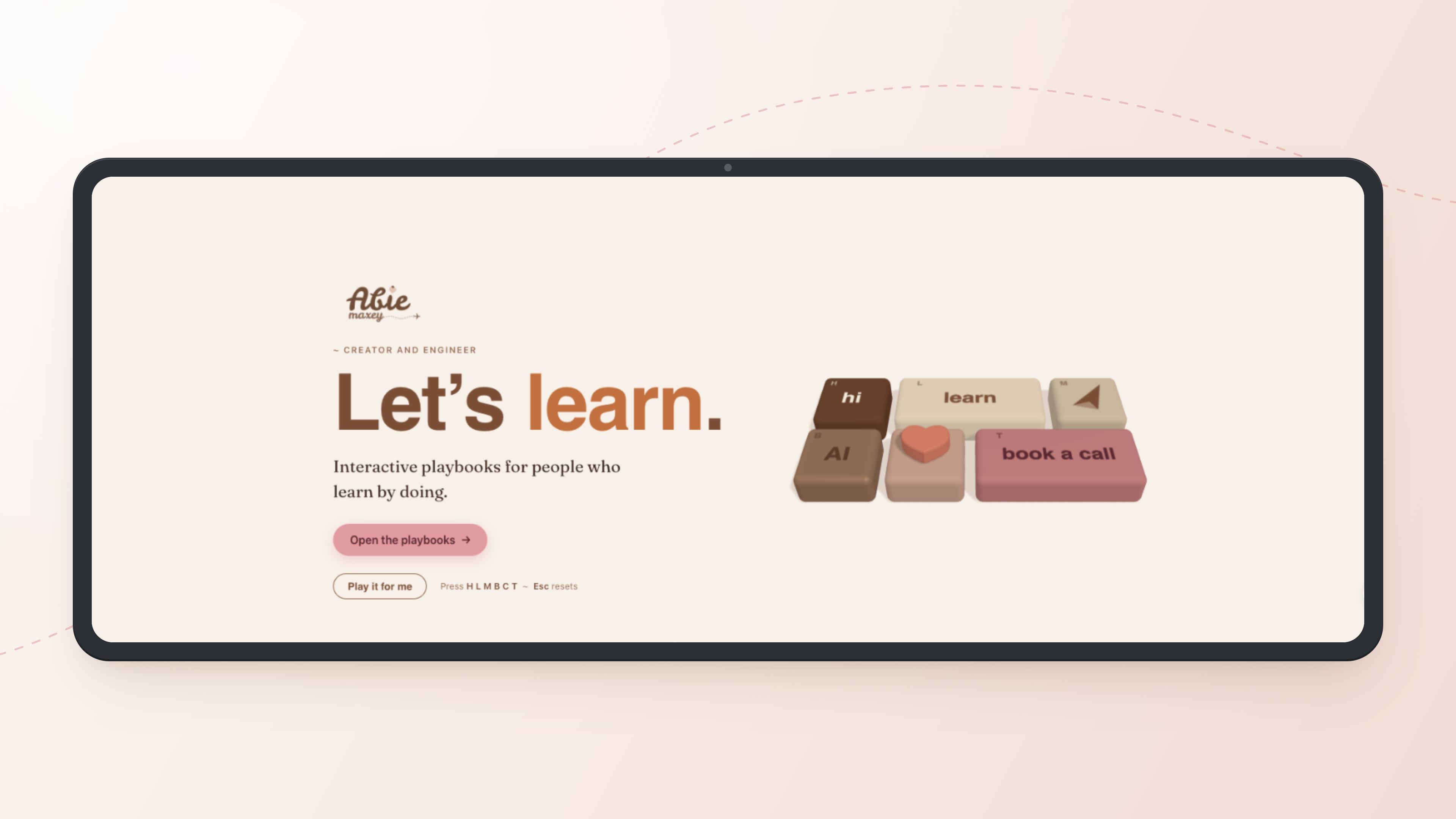
KooKo's first version, from one prompt
The first version is never the best. This is where you come in. Talk to it like your bestie, a little bit of this, a little bit of that, one note at a time:
Set the line under the headline in the same sans serif as the rest of the page.

Make the keypad matte instead of shiny, and remove any logo from it.

Add a real mechanical keyboard click: the attached sound when a key goes down and when it comes back up.
No need to sit through the build either. KooKo's Remote Control opens the same project on your phone, so you can send the next note from anywhere.
05 ~ Copy this
The checklist
- Screenshots of your own site, or a Pinterest board of the look you want
- Your never-do rules written into the skill, word for word
- Check what the skill saved before you build
- Add my keypad skill, then name both skills in your message
- Paste prompts in, or keep them to one paragraph with KEY 1:, KEY 2:
- A click sound you have the rights to use
- Building your skill from someone else's brand ~ start from your own, or from a mood you love
Everything above ran in KooKo. My link gets you started.
Love,
Abie